Jun 2026 – PresentOngoing contract

Six insurers, one clear comparison.

An Algerian insurance broker kept the prices of six insurers in spreadsheets. I work on the platform that turns them into instant quotes, and follows the customer from the first price to the contract and the claim.

Next.jsReactTypeScriptNestJSPrismaPostgreSQLDocker
Compared6 insurers
PricesUpdated from Excel
cap go compare · results
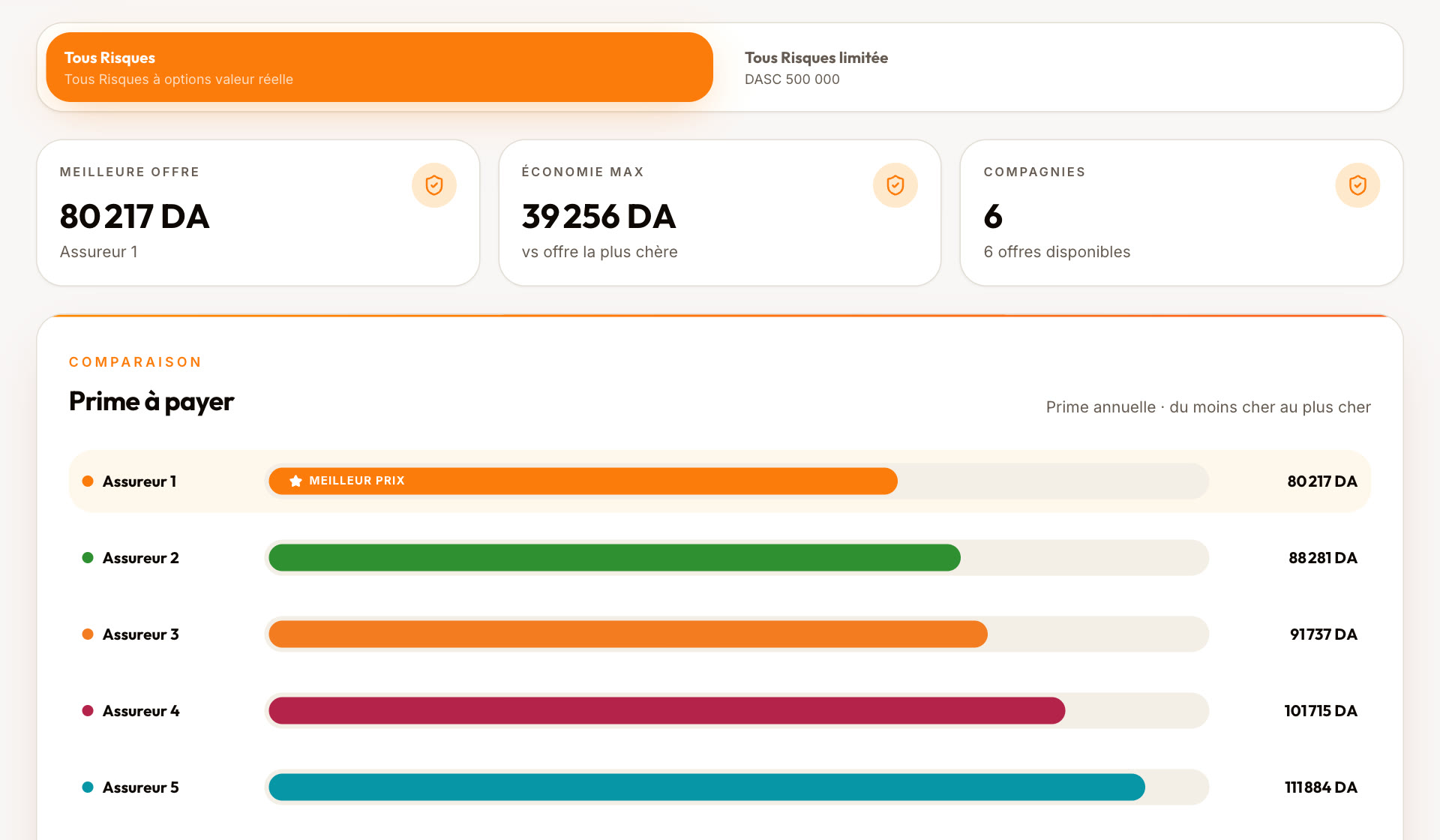
Six offers compared

Real app · made-up prices

The challenge

Every insurer calculates its price in its own way, and the rules live in spreadsheets that change.

What I built

Pricing engines for several insurance products, quote forms, the comparison, the customer area and the admin.

The result

Car, natural disaster and professional liability quotes compared across six insurers, with prices the broker updates from Excel.

From a spreadsheet on one desk to a quote on any phone.

The broker’s prices are kept in spreadsheets: rates, reductions, taxes and exceptions for each insurer. They give the right price, but only to the person sitting in front of the file.

CAP GO COMPARE gives that comparison to the customer. They answer a few questions, see six offers sorted by price and by guarantee, and continue with the broker. After that, they have their own area for documents, contracts and claims.

We are two developers. I built most of the web application and several insurance products from end to end: the pricing engine, the API, the quote form, the results and the admin.

One platform for the quote, the contract and the claim.

Services performed

  • Web app (Next.js)
  • Backend (NestJS, Prisma, PostgreSQL)
  • Pricing engines, tested against the broker’s files
  • Excel import with checks and versions
  • Customer area: documents, contracts, claims
  • Admin: users, prices, claims

Tech stack

Next.jsReactTypeScriptTailwind CSSTanStack QueryZustandZodNestJSPrismaPostgreSQLExcelJSDockerNginx
cap go compare · results
Six offers compared
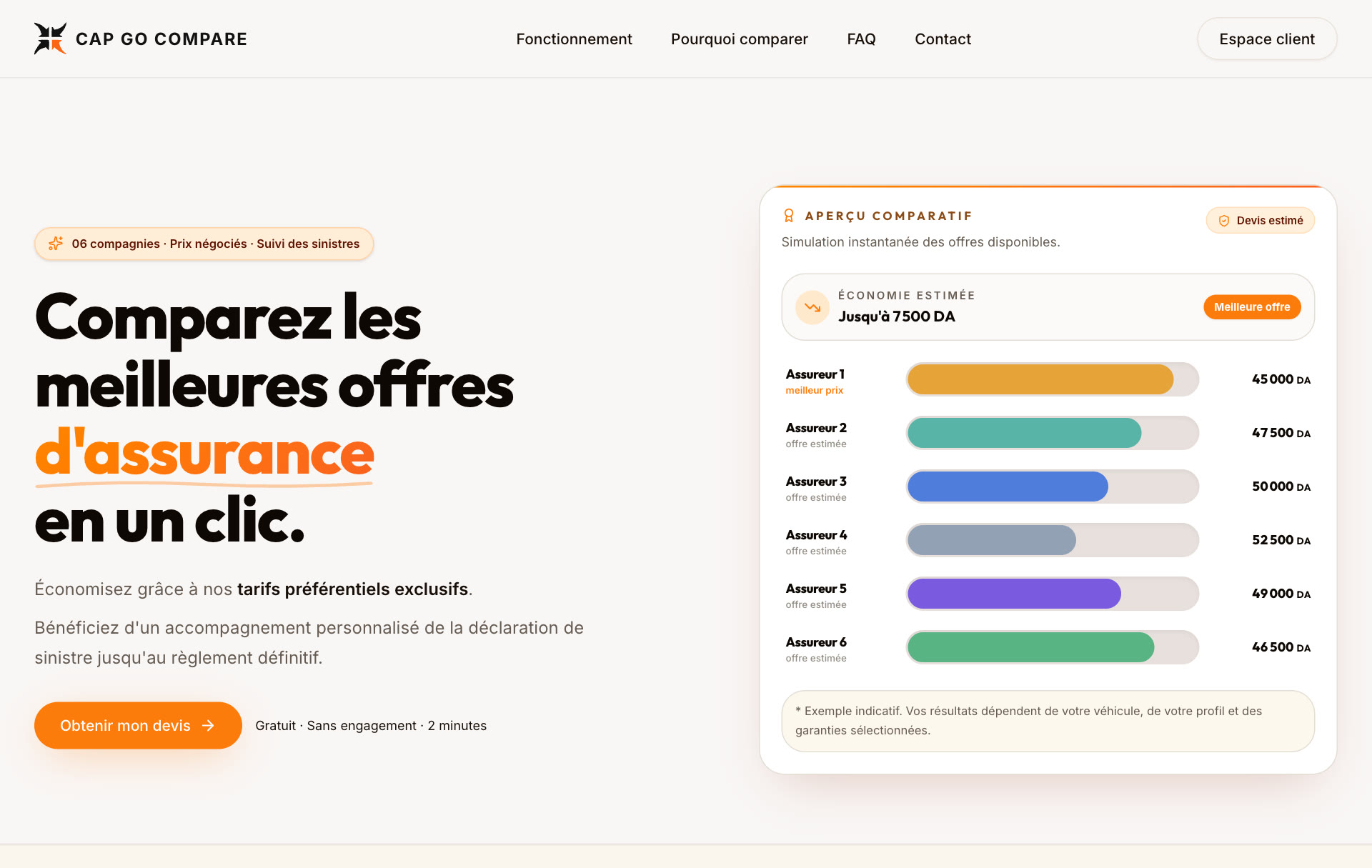
cap go compare
Home page
cap go compare · quote
Insurance products
cap go compare · quote
Guarantees step
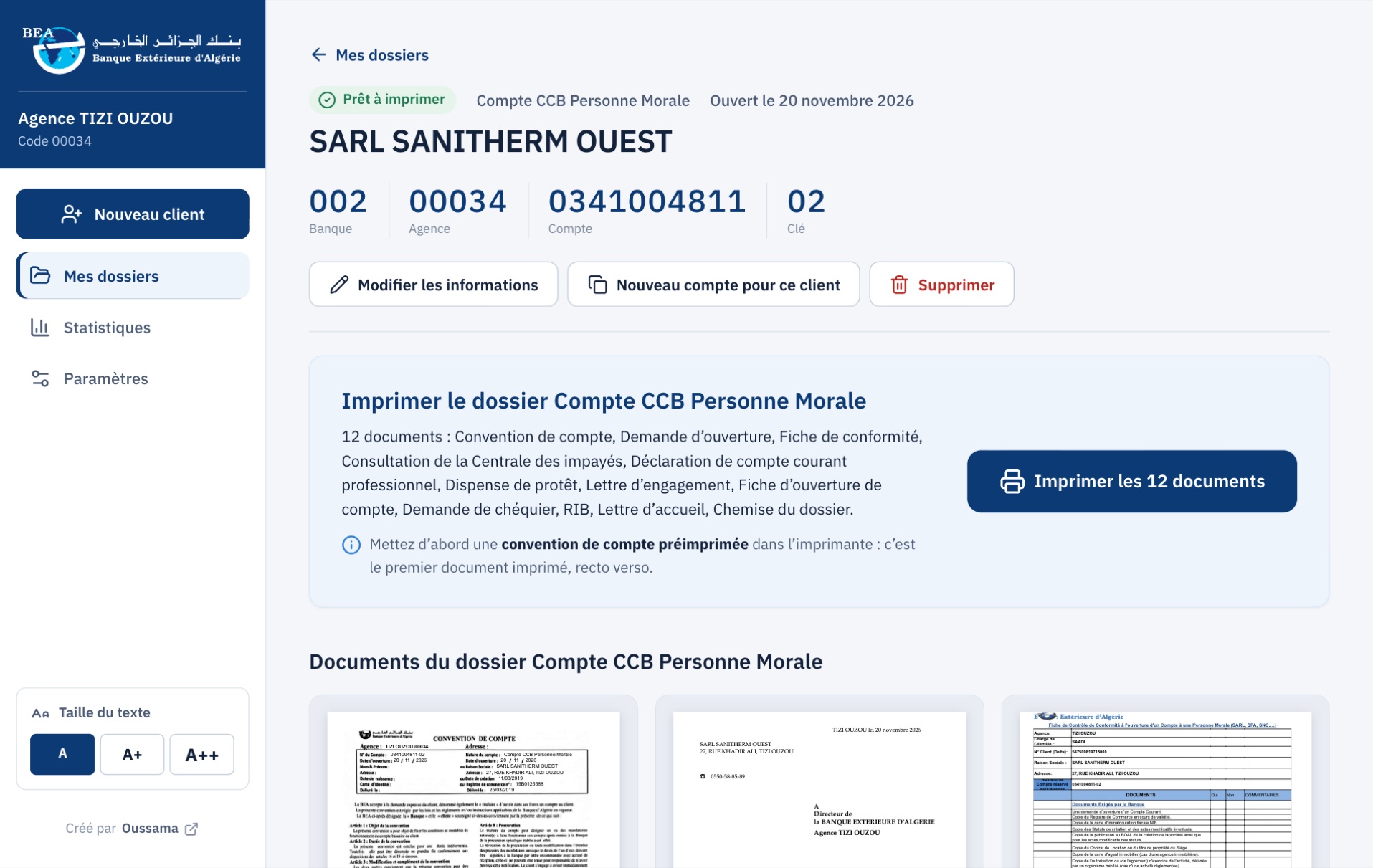
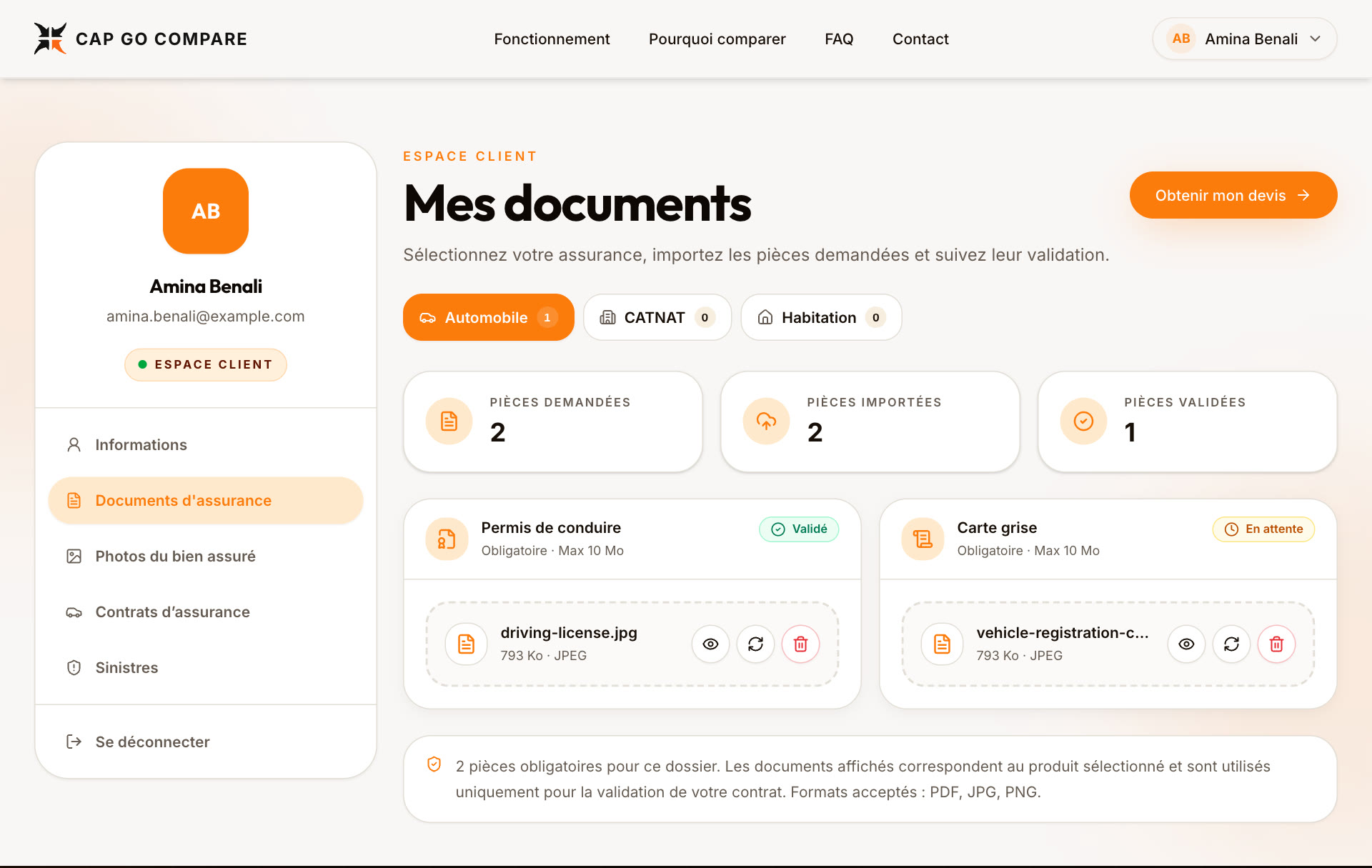
customer area · documents
Documents
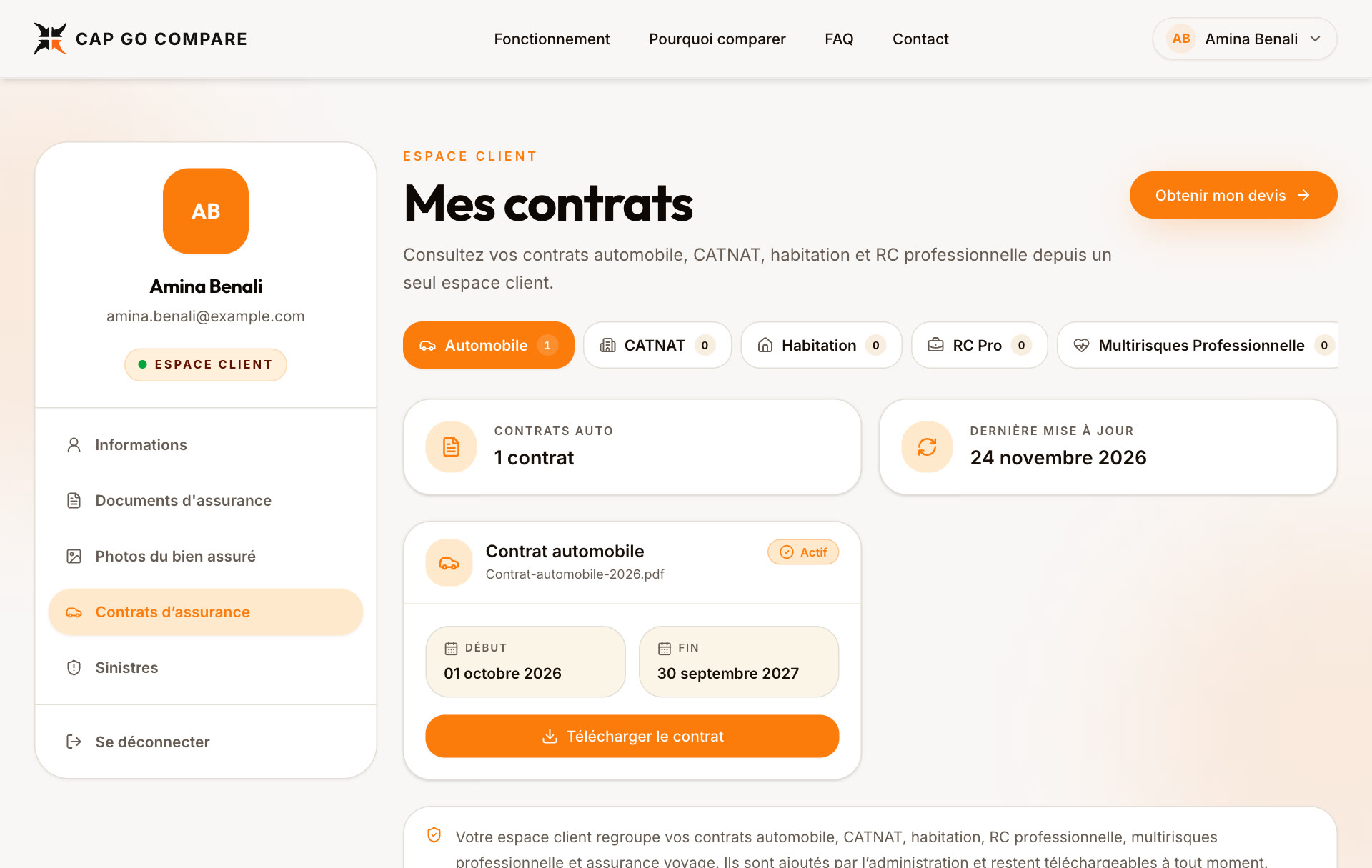
customer area · contracts
Contracts
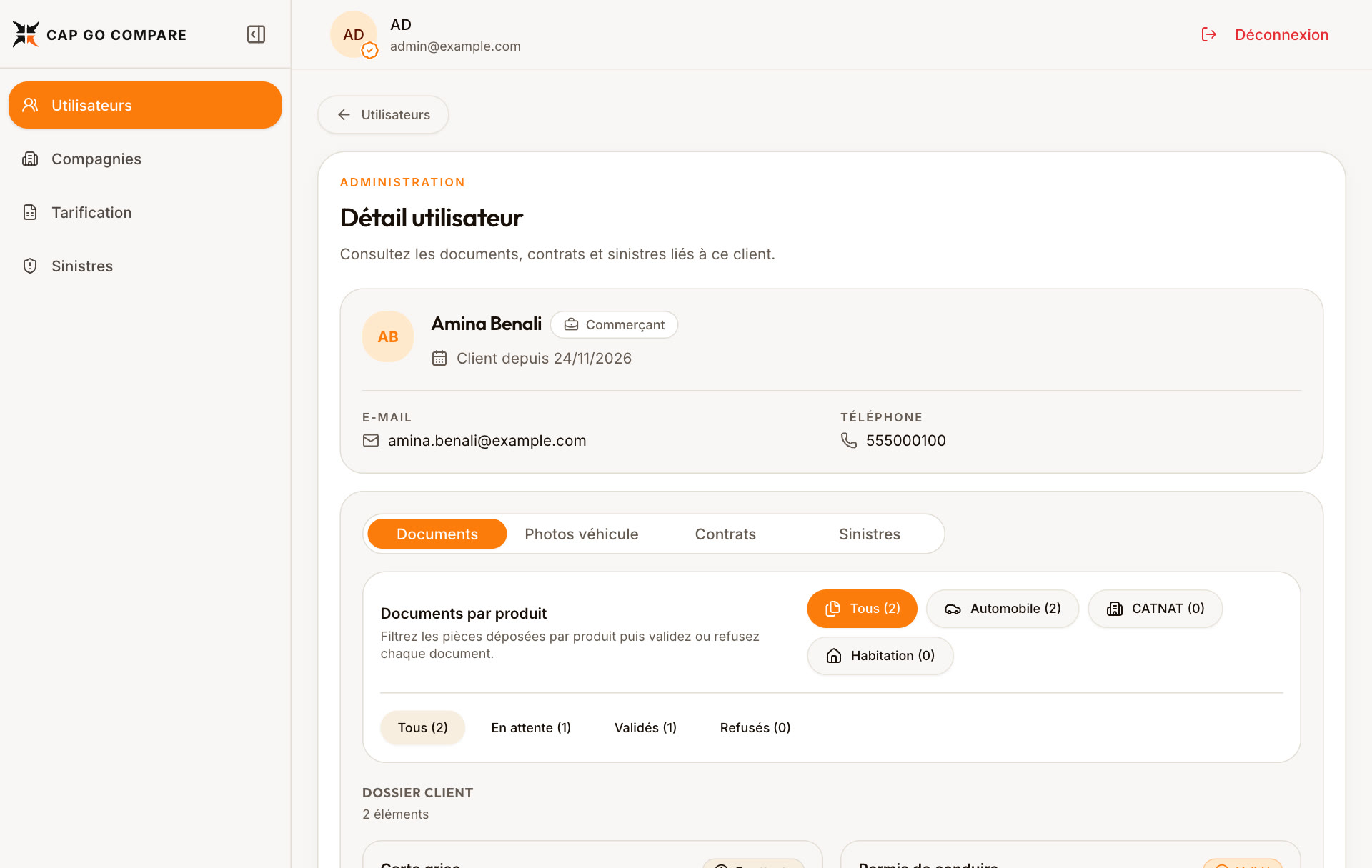
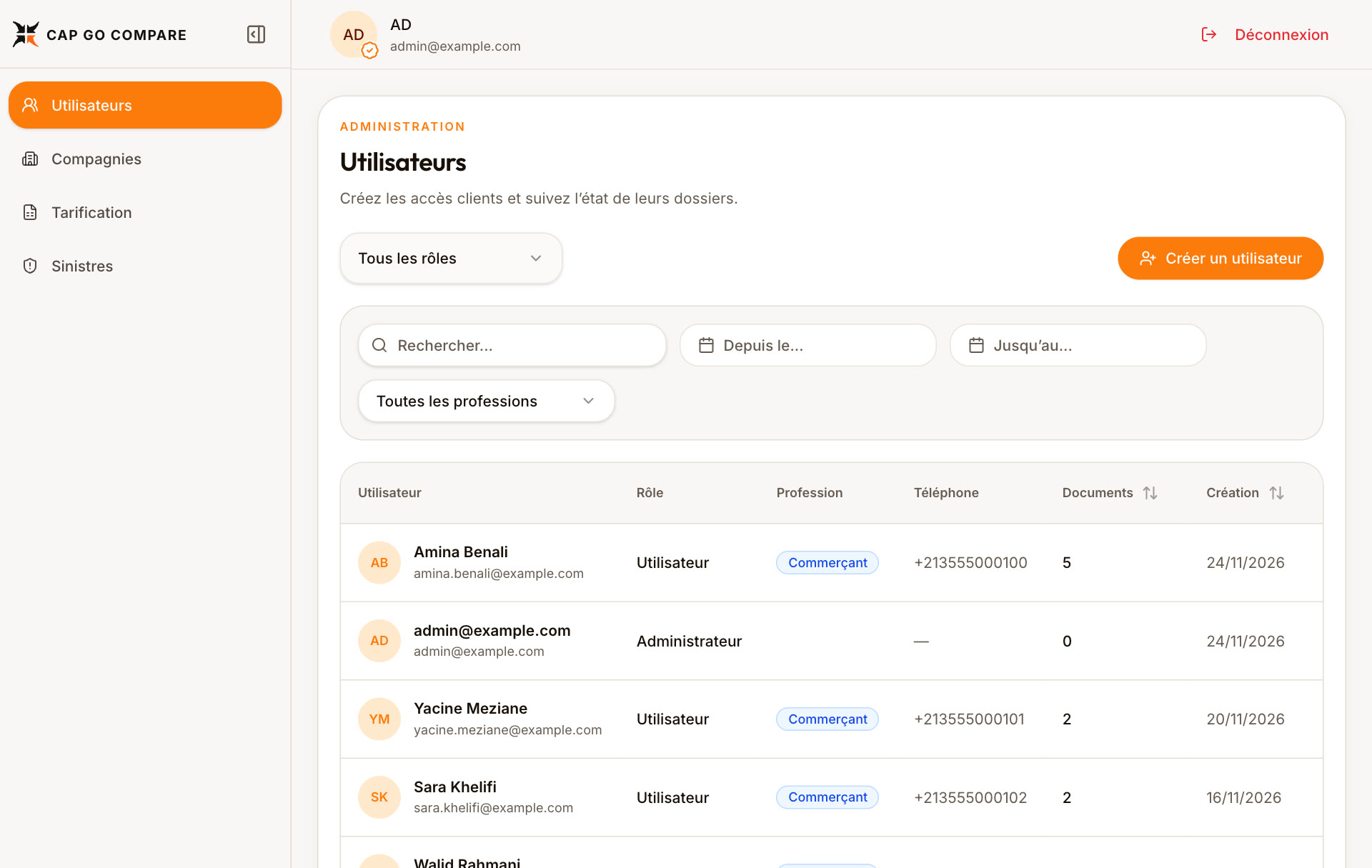
admin · users
Users

Real screens from CAP GO COMPARE, with made-up prices and people. © CAP GO COMPARE

The challenge

The same car, six different formulas.

Each insurer has its own base rates, reductions, taxes and exceptions, and some products are not offered by everyone. A quote that is wrong by one formula is worse than no quote. The prices also change, and the broker has to update them without waiting for a developer.

01Exact prices, close to the source file
02Updates without a new release
03Simple for a customer, complete for a broker

Architecture

From a spreadsheet to a price.

The broker imports the price files on one side, the customer asks for a quote on the other. The numbers point to the stories below.

ServerDocker · NginxQuote formsNext.js websiteResults pageSix offers comparedCustomer areaDocuments · contracts · claimsAdminUsers · prices · claimsAPINestJS · about 150 routesquotesoffersdocumentscontractsclaimsPricing enginesOne per insurance productExcel importCheck · version · activatePostgreSQLPrices · users · contractsREST436152

Simplified view, based on the code.

In practice

Six problems, and how I solved them.

The problem, what I built, and what it changed.

1

Admin · prices

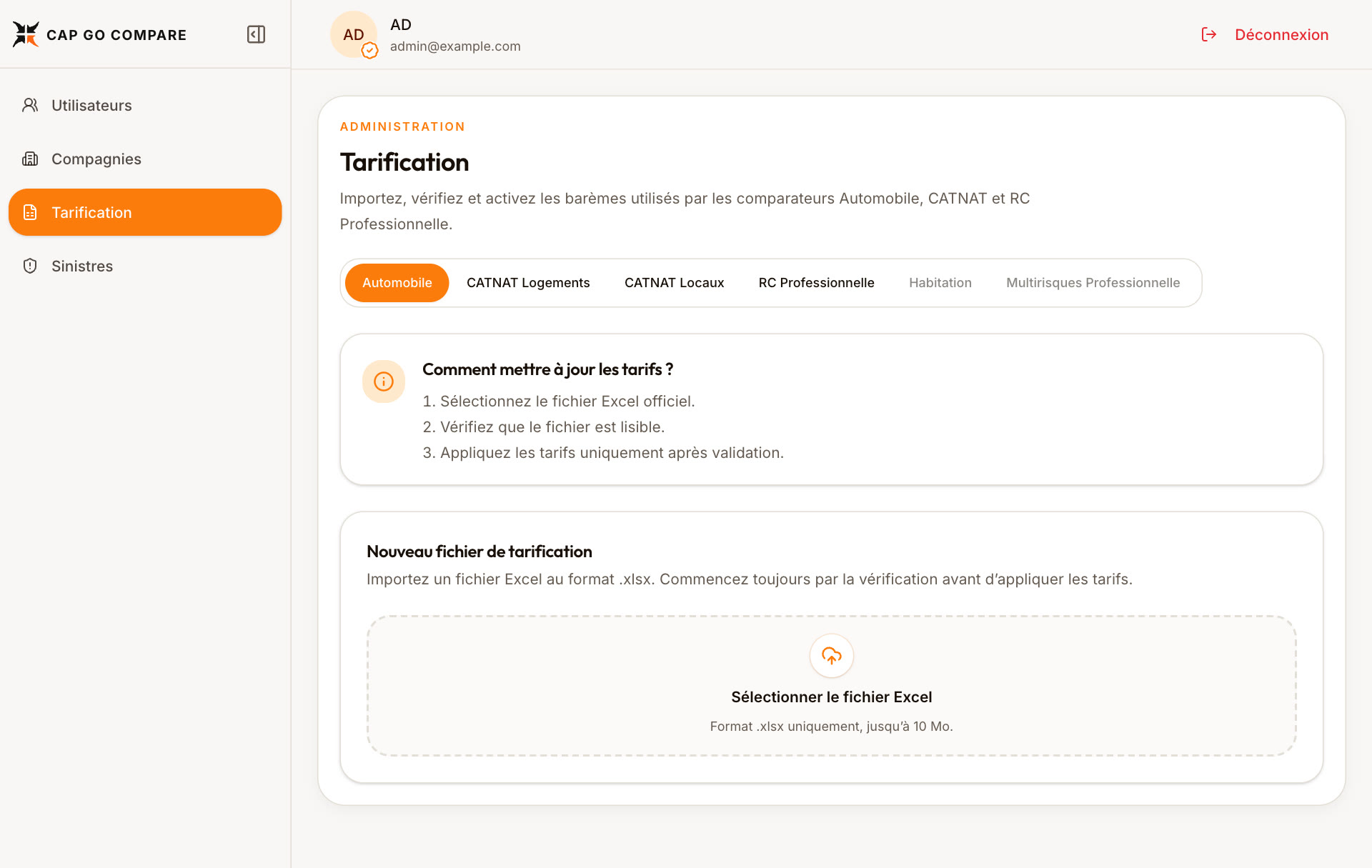
Letting the broker update prices from Excel

The problem
The prices live in Excel files, and they change. If every change needs a developer, the website is always late.
What I built
I built the import for several products. The admin uploads the file, the API reads the values, checks them against sample cases from the same file, and shows what is wrong. Only then can the prices be applied. Each import is saved as a version, and an older version can be activated again.
What it changed
The broker keeps working in Excel, a wrong file is stopped before customers see it, and a mistake can be undone.
  1. Upload the file
  2. Check the samples
  3. Apply
  4. Go back if needed
admin · prices
Price import in the admin
2

Backend · pricing

Adding new insurance products, one engine at a time

The problem
The platform started with car insurance. Natural disasters, professional liability and travel have nothing in common with it: seismic zones, activities, ages, destinations.
What I built
I built a separate pricing engine for each one, with its own rules and tests. For natural disasters, the price depends on the town, its seismic zone, the type of building and the official value of the property.
What it changed
A new product does not touch the existing ones. Car, natural disaster and professional liability can be compared today, and others are ready or on request.
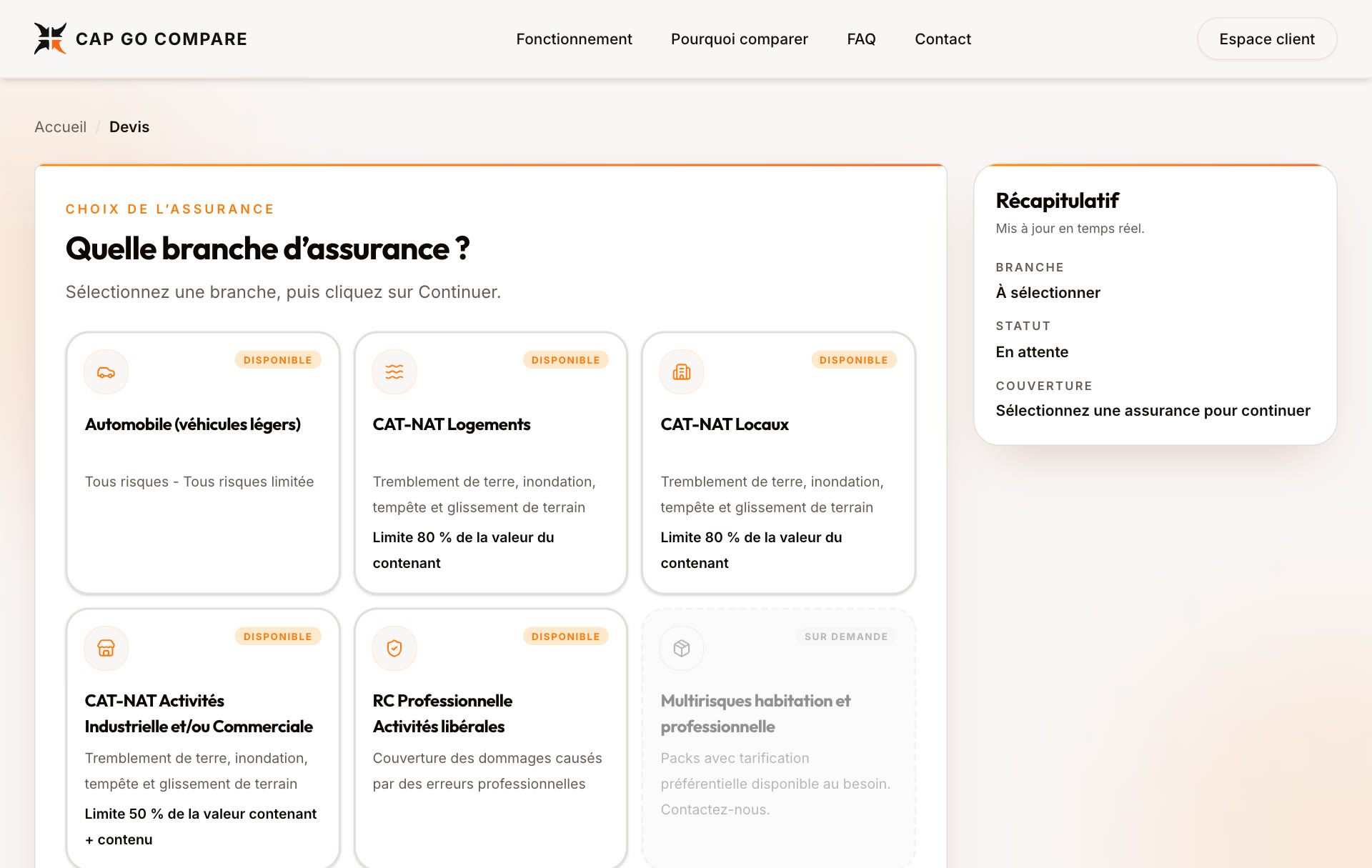
  1. Choose a product
  2. Its own questions
  3. Its own engine
  4. Same results page
cap go compare · quote
Choosing an insurance product
3

Frontend · results

Making six offers easy to compare

The problem
Six prices are not a comparison. The cheapest offer may not cover the same things.
What I built
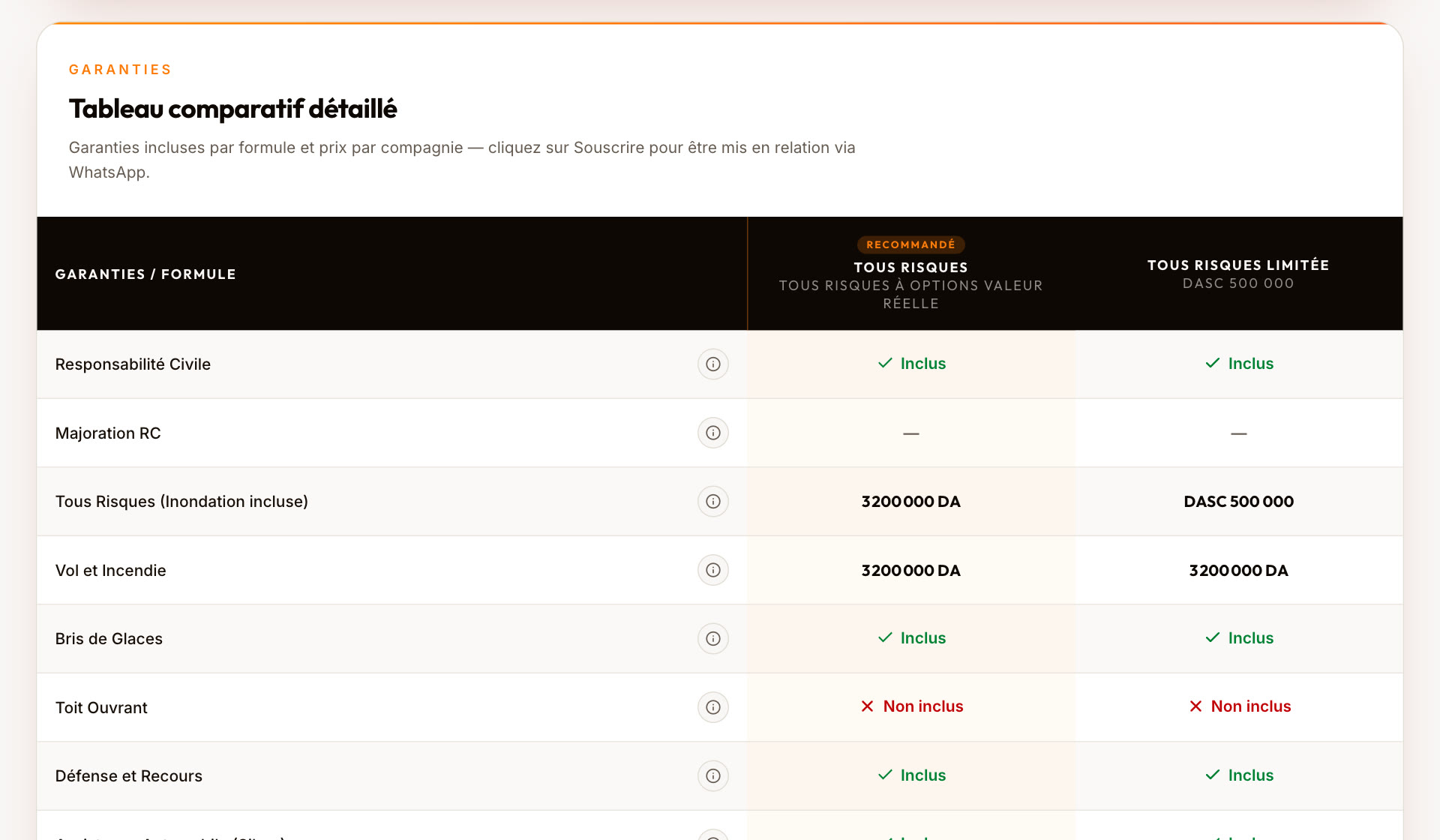
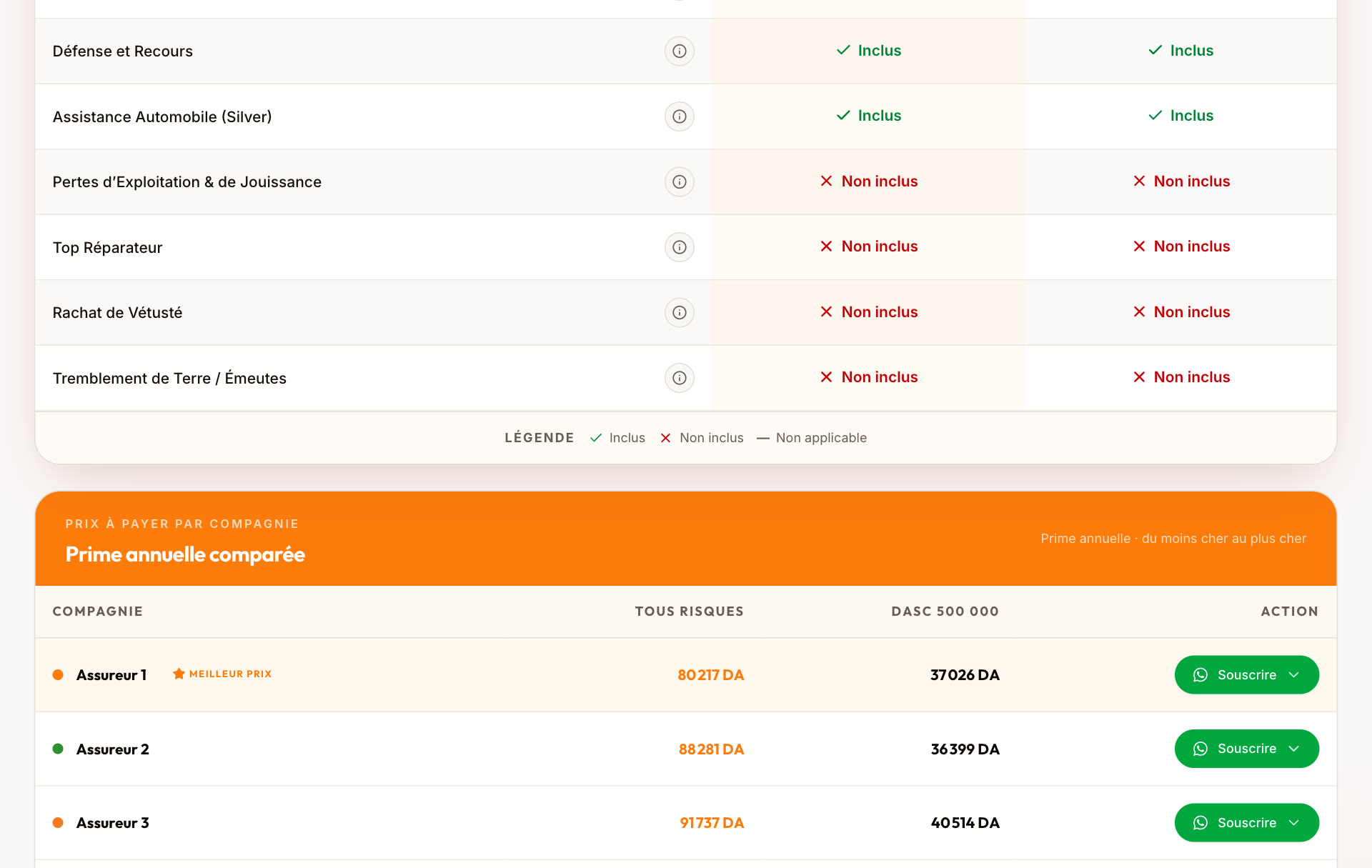
I built a results page that answers in order: the best price, how much you can save, the six prices as bars, then each guarantee line by line for both formulas. Customers can switch formula, change their answers, print or save it as a PDF.
What it changed
The customer sees the price first and the reasons just below it.
  1. Best price
  2. Six offers
  3. Guarantees
  4. PDF
cap go compare · results
Six offers compared
cap go compare · guarantees
Guarantees compared
4

Frontend · forms

A long form that does not feel long

The problem
An exact quote needs about twenty answers about the driver, the car and the guarantees. Most people leave long forms.
What I built
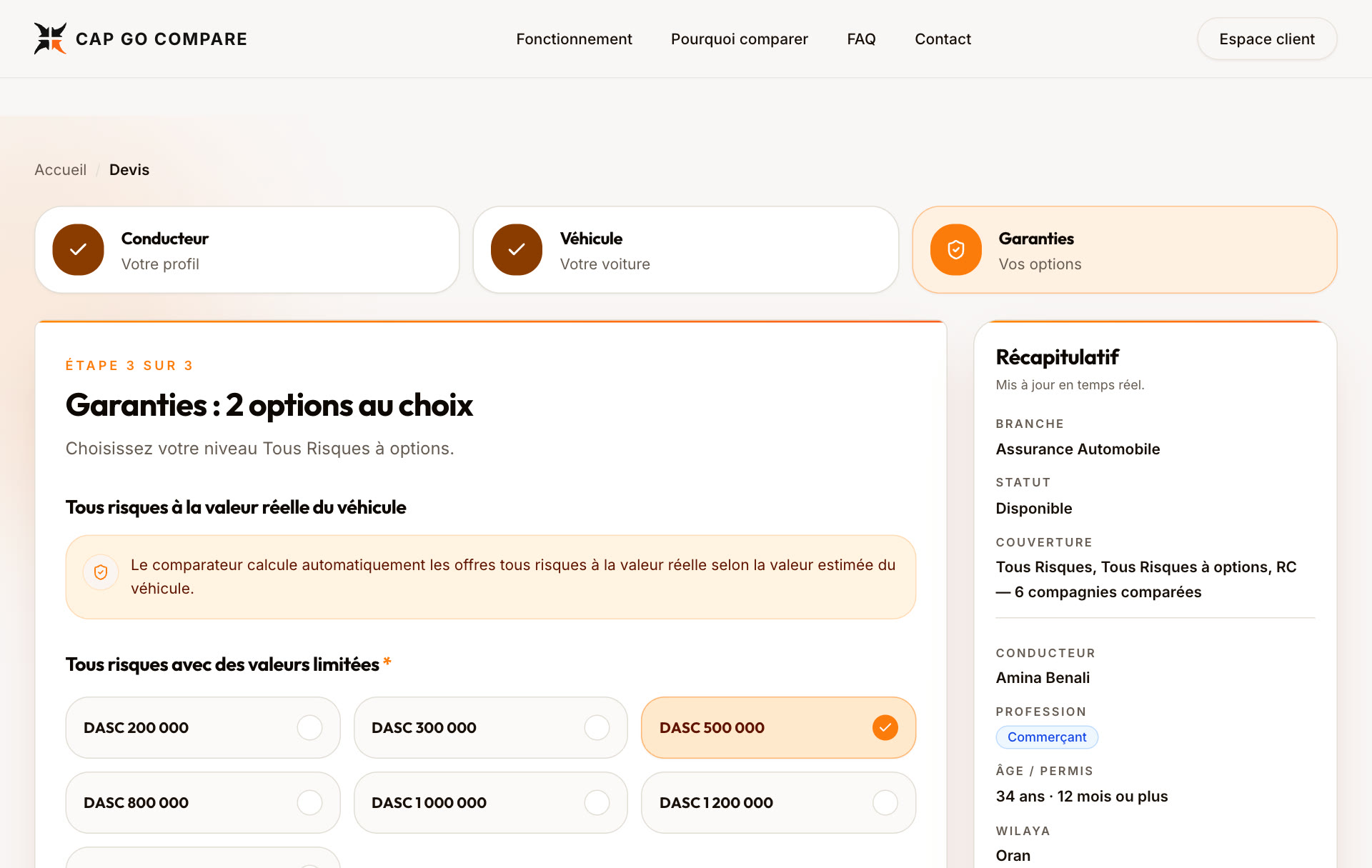
I built it in three short steps with a live summary on the side. Answers are checked at each step and kept if the page is reloaded, and a signed-in customer finds their details already filled in.
What it changed
People always know where they are, and nothing is lost if they go back.
  1. Driver
  2. Car
  3. Guarantees
  4. Results
cap go compare · quote
Guarantees step with the summary
5

Backend · privacy

Showing the price, hiding the insurer

The problem
The broker wants customers to compare freely, but the negotiated prices of each insurer are private.
What I built
For natural disaster and travel insurance, I made the API return labels and identifiers that reveal nothing. The real company is only found again on the server, and only administrators can see it.
What it changed
Customers compare freely, and the names stay on the server.
  1. Calculate
  2. Hide the names
  3. Compare
  4. Broker takes over
cap go compare · prices
Prices with hidden insurer names
6

Full-stack · after the quote

From the contract to the claim, in one place

The problem
After the quote come the documents, the photos, the contract, and one day a claim. By phone and email, pieces get lost.
What I built
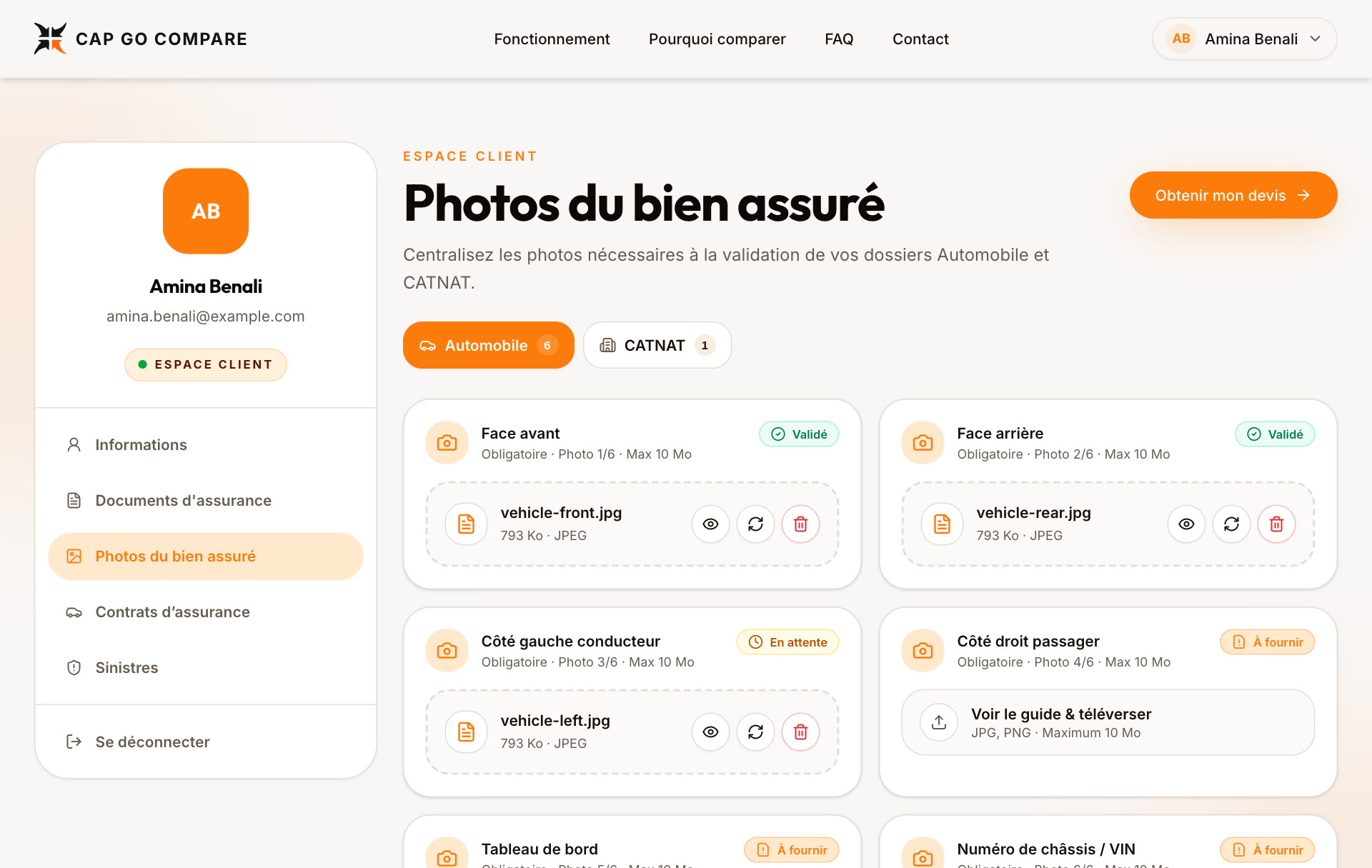
On the customer area we built together, I added natural disaster documents, contracts and claims, with the pieces required for each type of property. Admins check each document, accept or refuse it, and follow every claim.
What it changed
Customer and broker see the same file, with the same status.
  1. Documents
  2. Check
  3. Contract
  4. Claim
customer area · photos
Photos in the customer area
admin · customer
Customer file in the admin

Everything I worked on

Quotes

  • Car insurance form and results
  • Natural disaster: homes and premises
  • Professional liability
  • Travel insurance with several travellers
  • Comparison as PDF
  • Contact on WhatsApp

Pricing

  • Engines with tests
  • Excel import and checks
  • Versions and return to an older one
  • Seismic zones and towns
  • Discounts, taxes and fees

Customer area

  • Documents required by product
  • Photos with a guide
  • Contracts to download
  • Claims and evidence files
  • Quote history

Admin

  • Accounts and roles
  • Document checks
  • Prices by product
  • Claims and declaration forms
  • Travel reservations

Website

  • Home page and content
  • Sign-in for customers and admins
  • Phone and tablet layouts
  • Search and sharing details

Quality

  • Automated tests on prices
  • Protected routes and sessions
  • Uploads by type and size
  • API documentation

Real screens from CAP GO COMPARE, with made-up prices and people. Insurer names are hidden by the product itself.

Timeline

One product at a time.

The main steps of my work, from the Git history.

  1. New web app

    Car quotes, results, customer area.

  2. Natural disaster

    Quotes, contracts, claims, then travel insurance.

  3. New products

    Professional liability and home insurance.

  4. Health activities

    Cover for health professionals.

  5. Client review

    New price files, accounts and roles.

Outcome

What I delivered

  • A Next.js web app: quote forms, comparison, customer area and admin
  • Pricing engines for natural disaster, travel, professional liability, home and health activities
  • Excel price import with checks, versions and return to an older version
  • A results page that compares six insurers by price and by guarantee, with PDF
  • Offers that hide the insurer’s name until the broker takes over
  • Documents, contracts and claims for customers, with checks for the team
  • User accounts, administrators and roles
In progress

Where it is today

The contract is ongoing. New products and price files are added with the broker, product by product.

What I learned

The spreadsheet is the specification. The sample cases in the broker’s own file became the tests for the code.